Plan a painting project room by room and get a planning range
Paint Ottawa's planner builds your painting scope room by room — walls, ceilings, trim, coats — and gives a broad Ottawa planning range. It runs in your browser: nothing is sent anywhere.
Guide revision: 2026-09-23
7-step walkthrough with voiceover, recorded from the same checked steps.
Voiceover: Kokoro text-to-speech (Apache 2.0).
How do I start?
Open Paint Ottawa and tap Plan my painting project. No account; Room 1 is ready to fill in. A tape measure helps, but rough sizes are fine to start.
Open Paint OttawaWhat do I do next?
- 1
Open Paint Ottawa
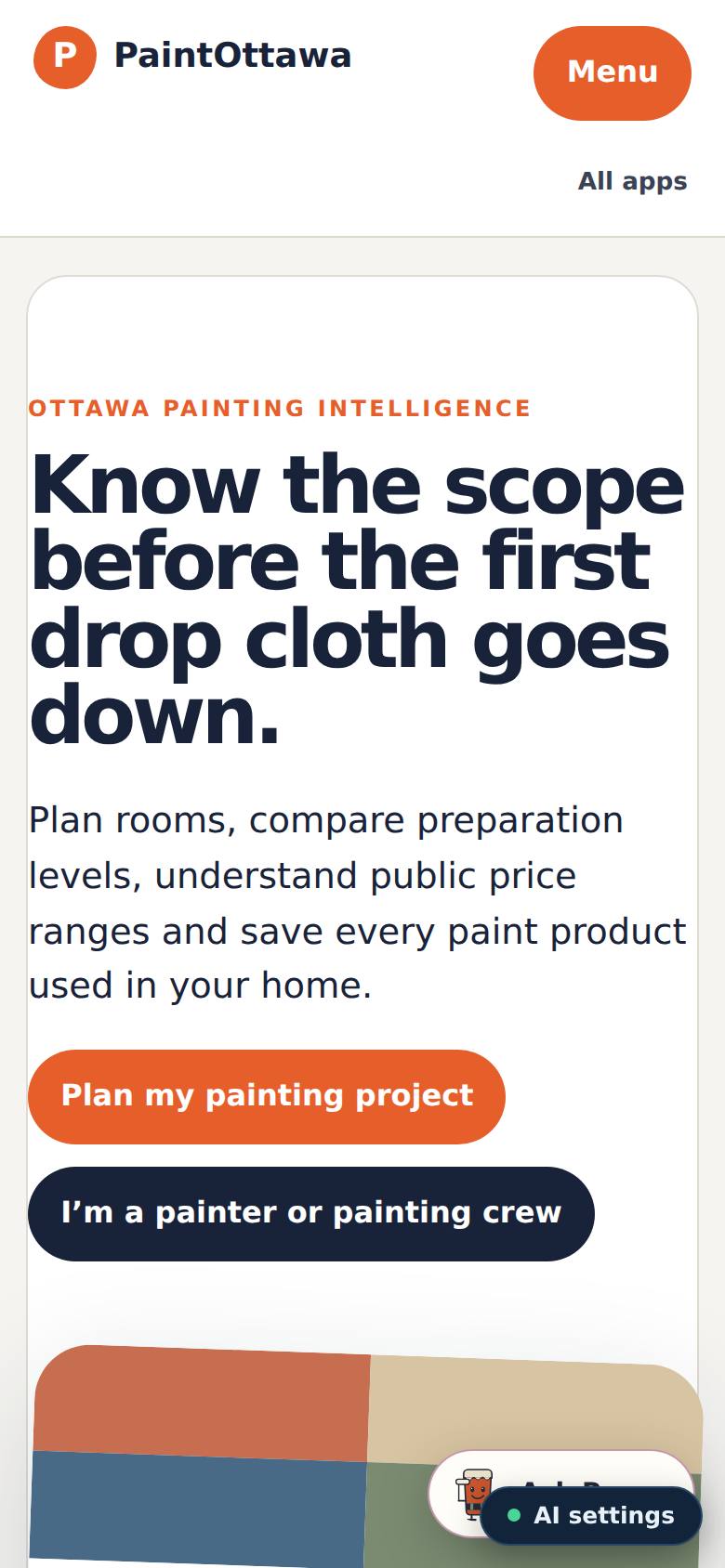
Open Paint Ottawa from the Apps Hub.
The Paint Ottawa page, with "Plan my painting project".
- 2
Open the planner
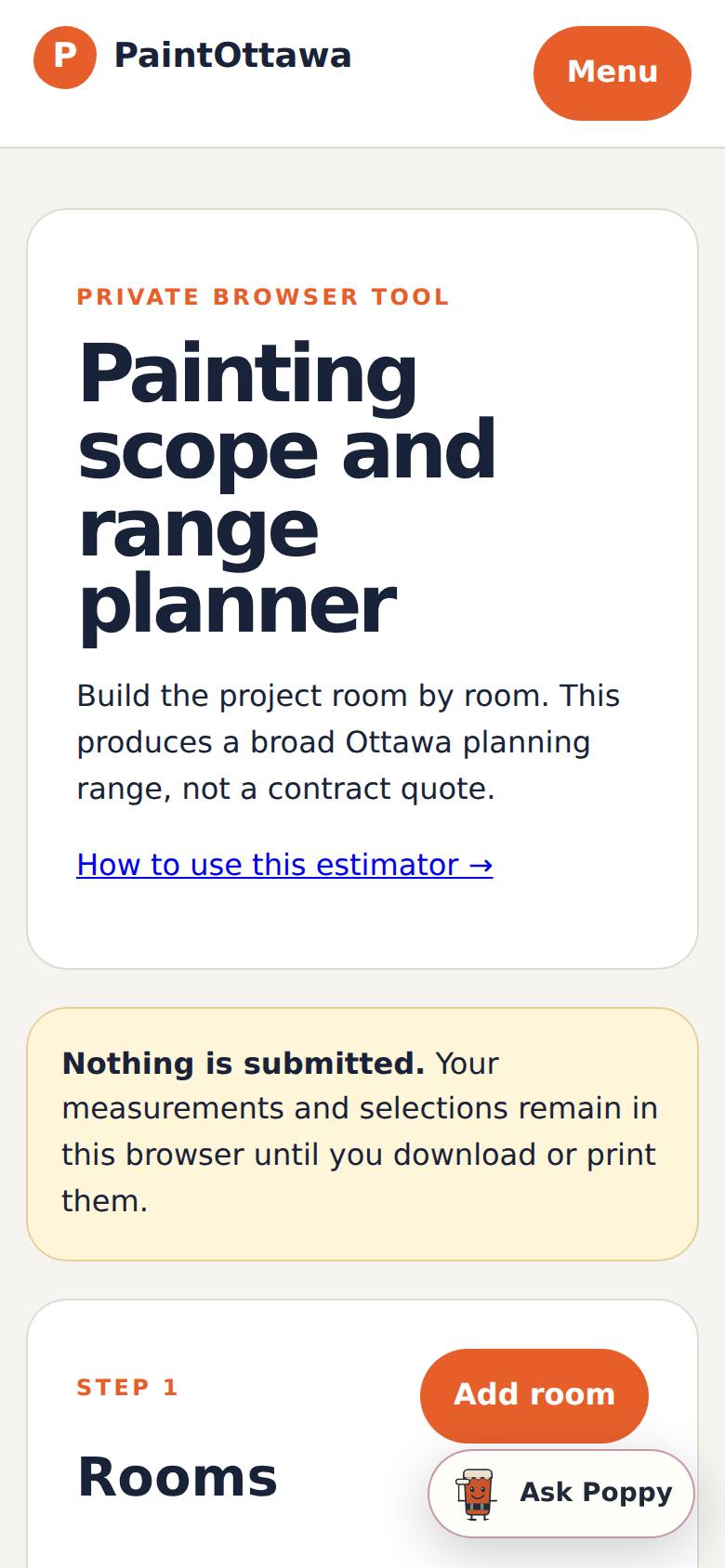
Tap "Plan my painting project".
The painting scope and range planner opens with Room 1 ready to fill in.
- 3
Describe the first room
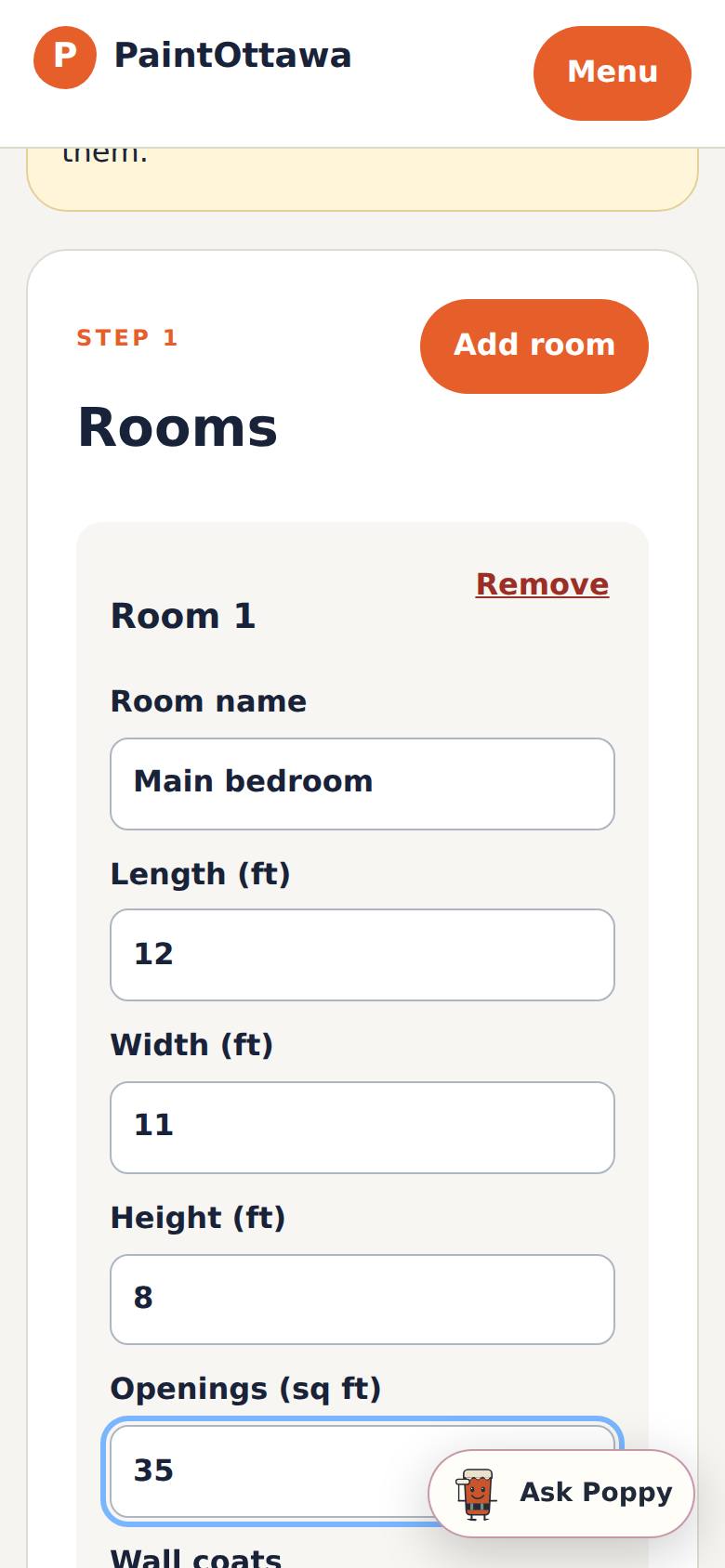
Type the room name and its length, width and height in feet, and the square feet of doors and windows (openings).
Room 1 is filled in; tick Walls, Ceiling or Primer likely as they apply.
- 4
Add every room
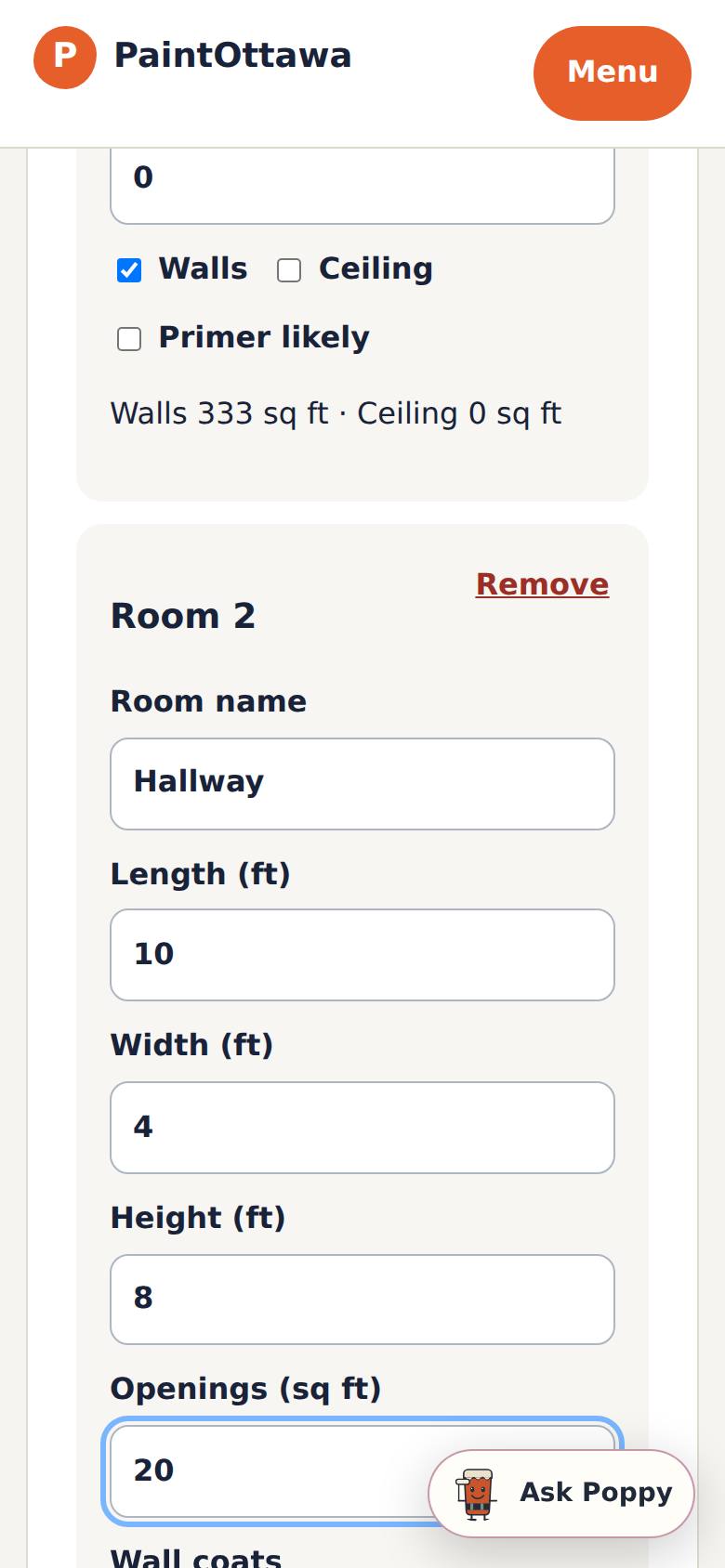
Tap Add room for each space and fill it in the same way.
Room 2 appears under Room 1.
- 5
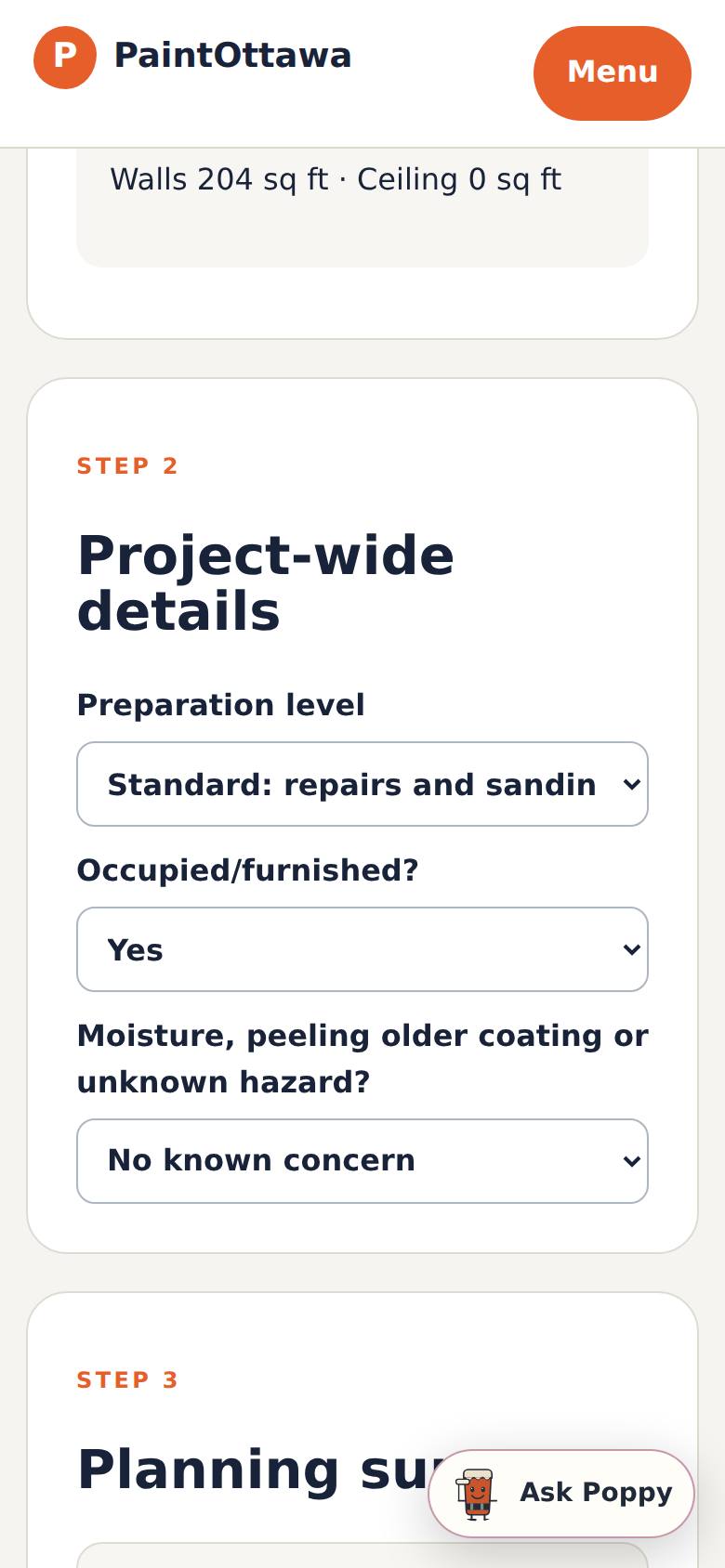
Describe the whole project
Under Project-wide details, choose the preparation level, whether the rooms are occupied or furnished, and any moisture or peeling paint.
The details are set; the summary below updates.
- 6
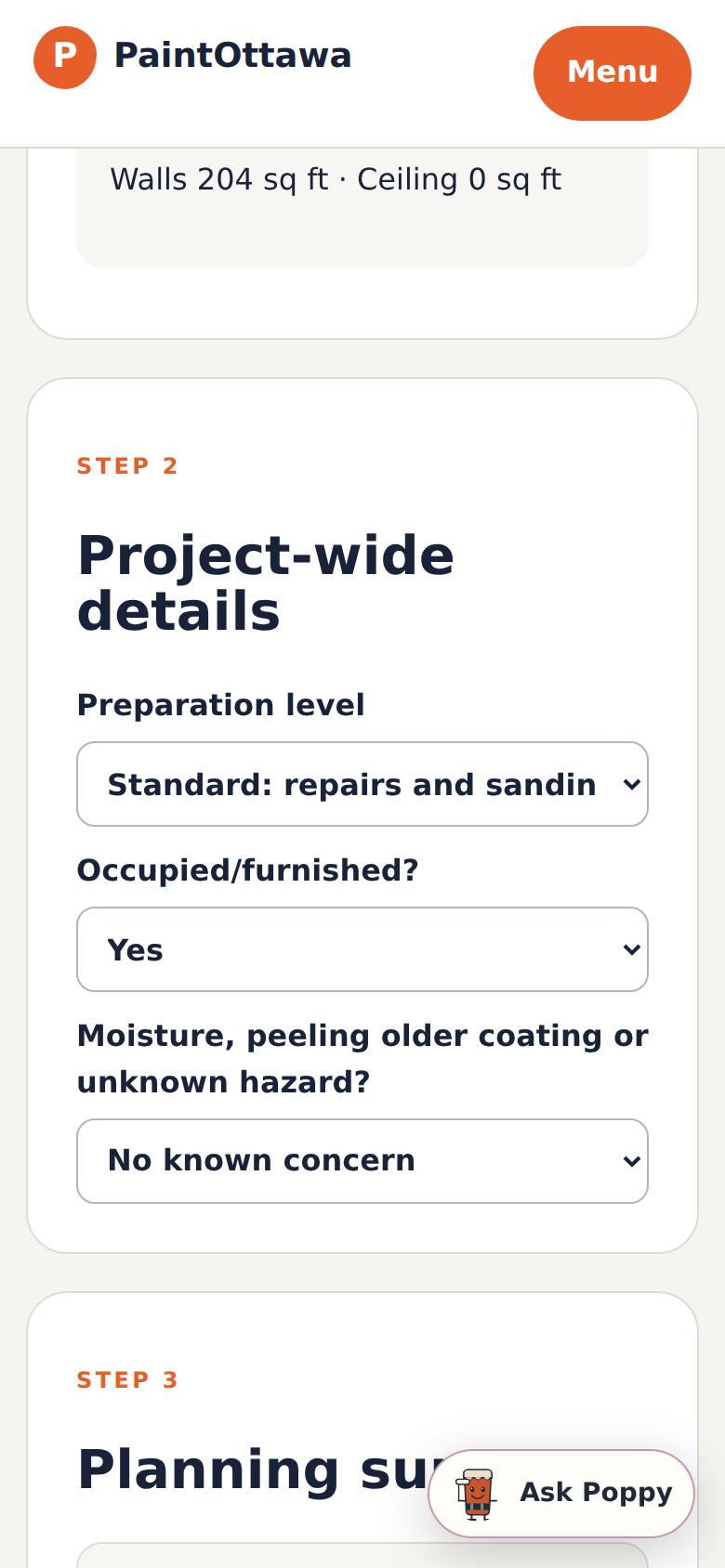
Read the planning summary
Scroll to Planning summary.
A planning range for all the rooms, with what it includes and a note that it is not a quote.
- 7
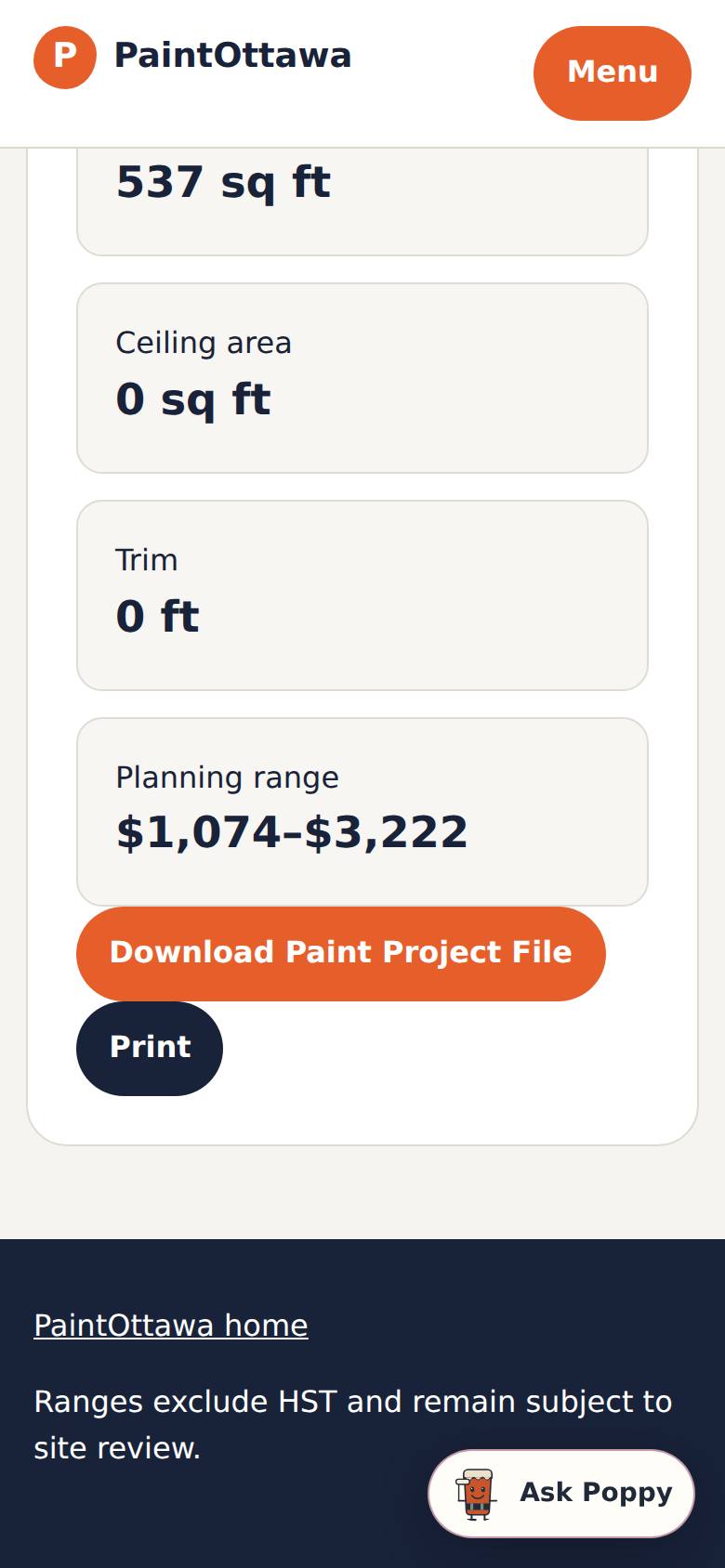
Keep a copy
Tap Download Paint Project File (or Print).
The file downloads to your phone (paint-project-2026-09-23.json).
What result should I expect?
A planning range for all your rooms, with the wall, ceiling and trim areas behind it. It's a range, not a quote: it excludes HST and depends on the real preparation, products and a site visit.
How do I save, share or get help?
Nothing is saved to an account or sent. Tap Download Paint Project File to keep your rooms on your phone (you can share that file), or Print for a paper copy. Ask Poppy (the chat button) answers painting questions.
If something goes wrong
- The range looks too wide. It's meant to — preparation and the condition of the walls change the price the most. Mark moisture or peeling paint honestly; that's what a painter will check.
- I lost my rooms. The planner doesn't save between visits. Download the Paint Project File before you leave the page.
Every screenshot here was taken while doing these exact steps on the app's current build (6b6e54f), on a phone-sized screen, signed out, on 2026-09-23. Steps that need an account are marked. Nothing was submitted or bought.
All How-To guides Return to Paint Ottawa