Every current model, what it costs, and which one a step would use
The Models page in AiArena: the current list prices of every model you can connect, what one job costs on each, and the model AiArena would pick for a kind of task from the ones you have starred.
Guide revision: 2026-10-13 · steps checked 2026-10-13 on build 9531cf7
5-step walkthrough with voiceover, recorded from the same checked steps.
Voiceover: Kokoro text-to-speech (Apache 2.0).
How do I start?
Open AiArena, tap Work, then Models. It is free to look at.
What do I do next?
- 1
Current models and prices
On AiArena, tap Work, then Models.
The list, with read and write prices per million tokens.
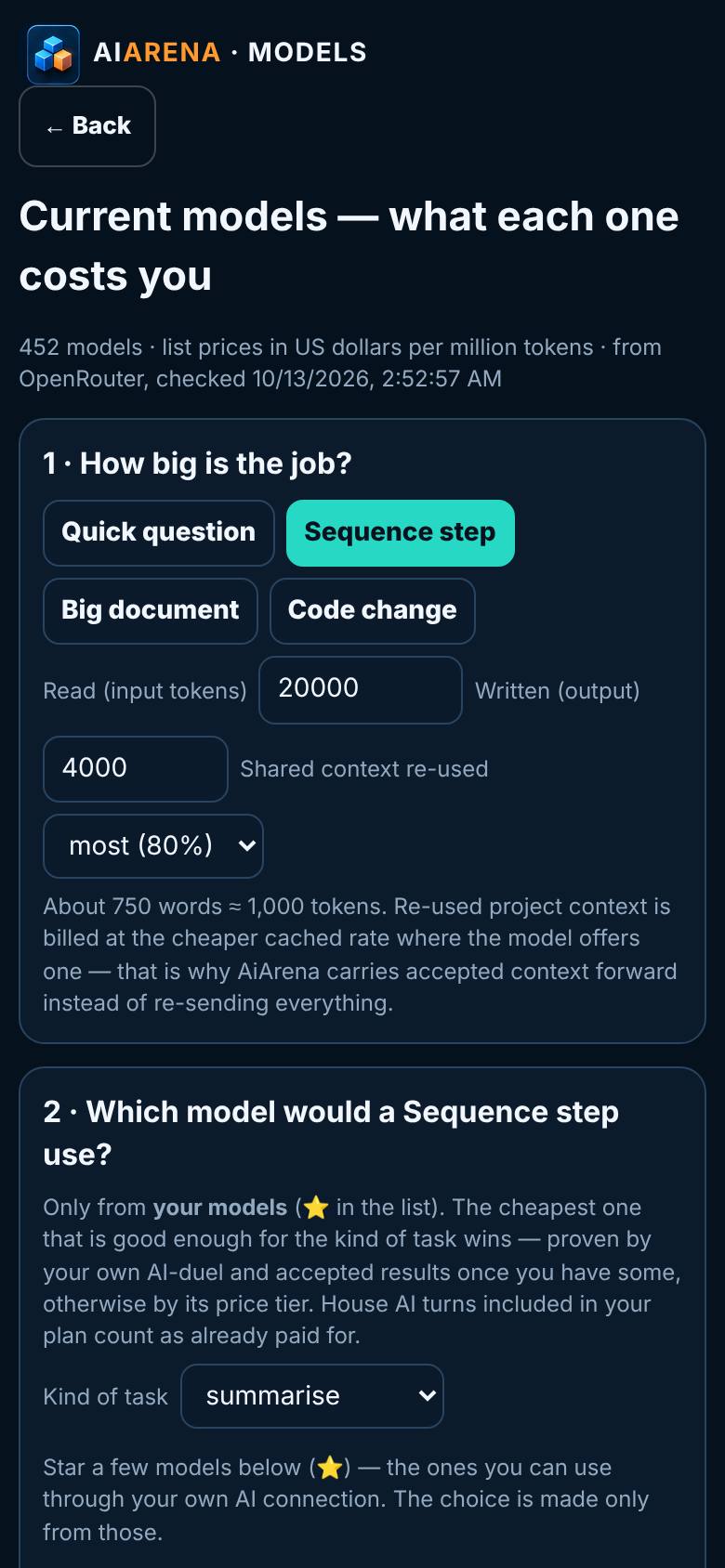
- 2
How big is the job?
Set read, written and shared context.
The This job column changes with it.
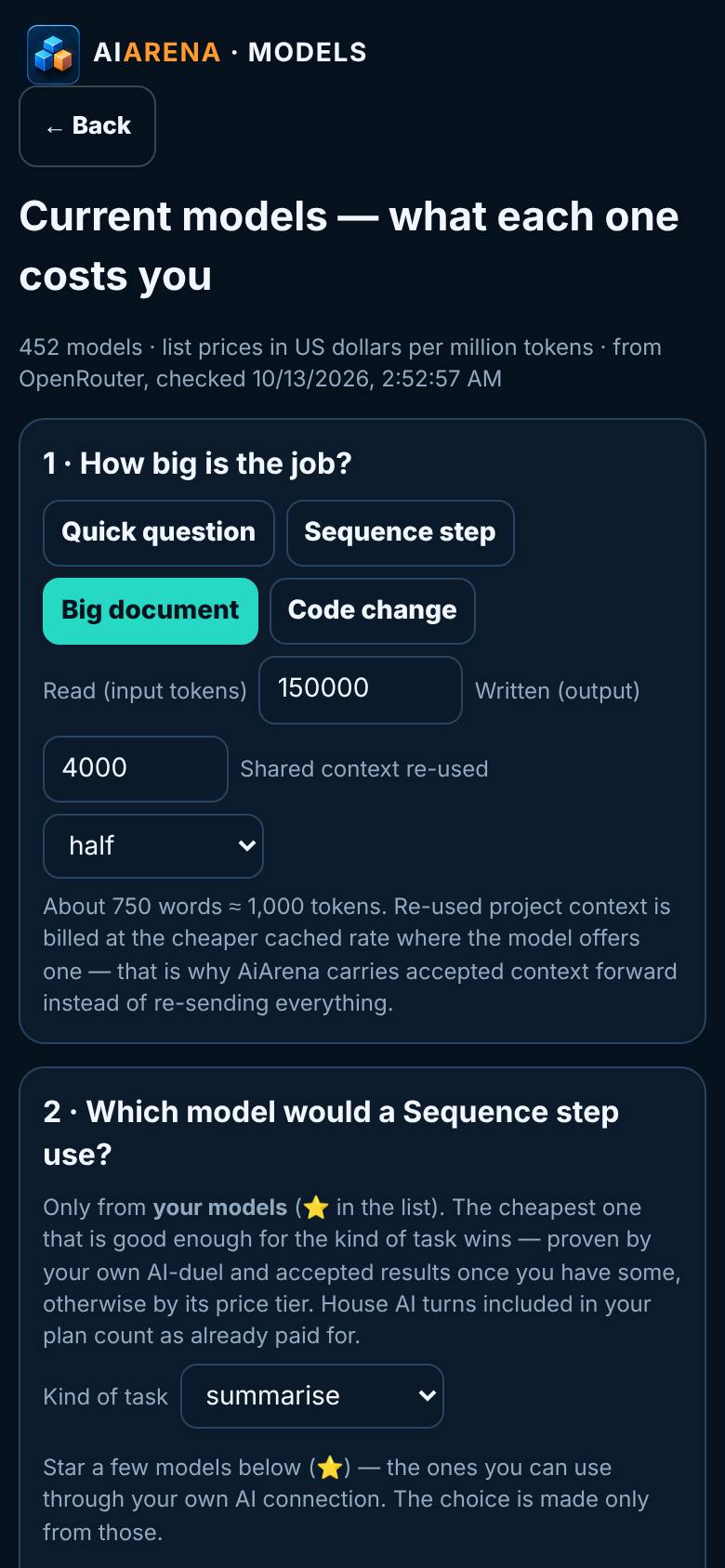
- 3
Star your models
Search a model and tap its star.
Three starred models.
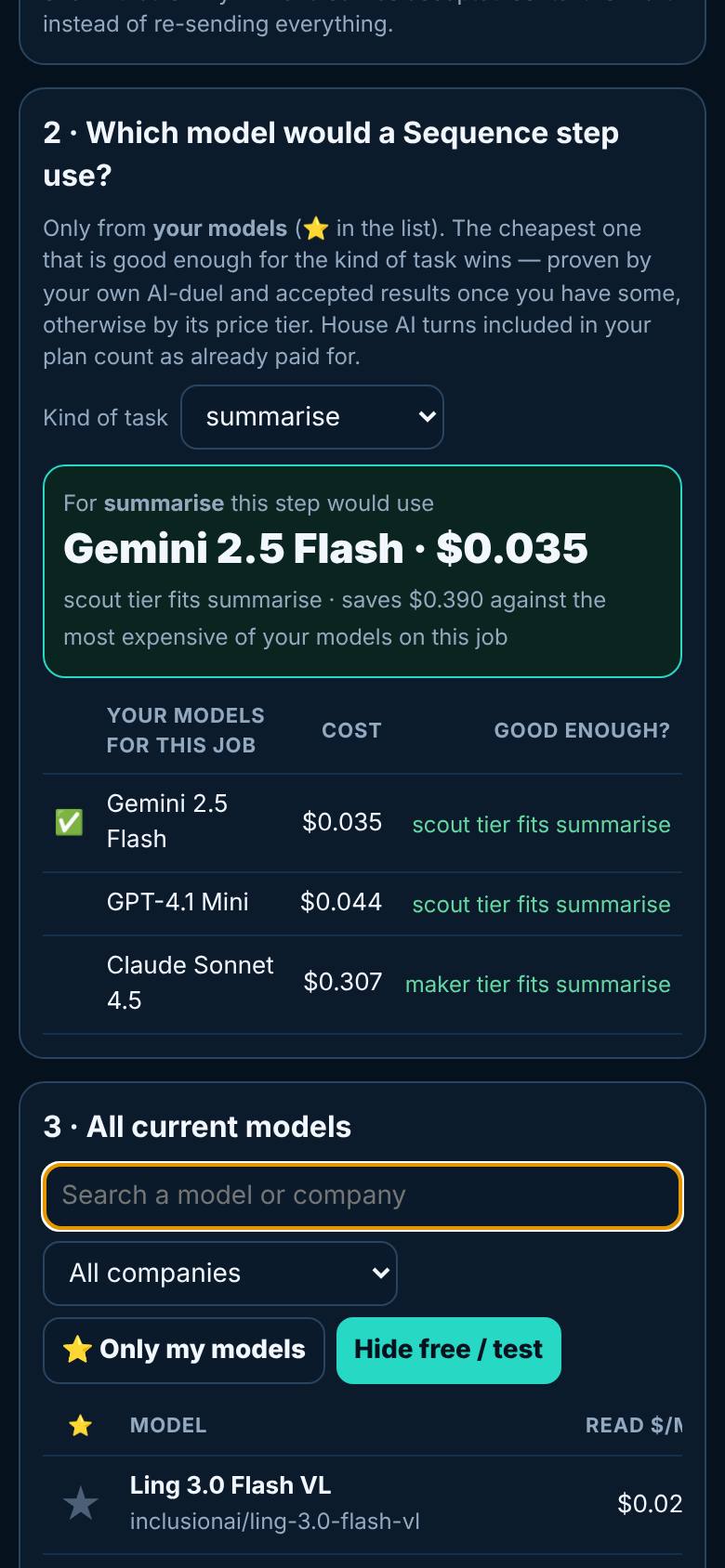
- 4
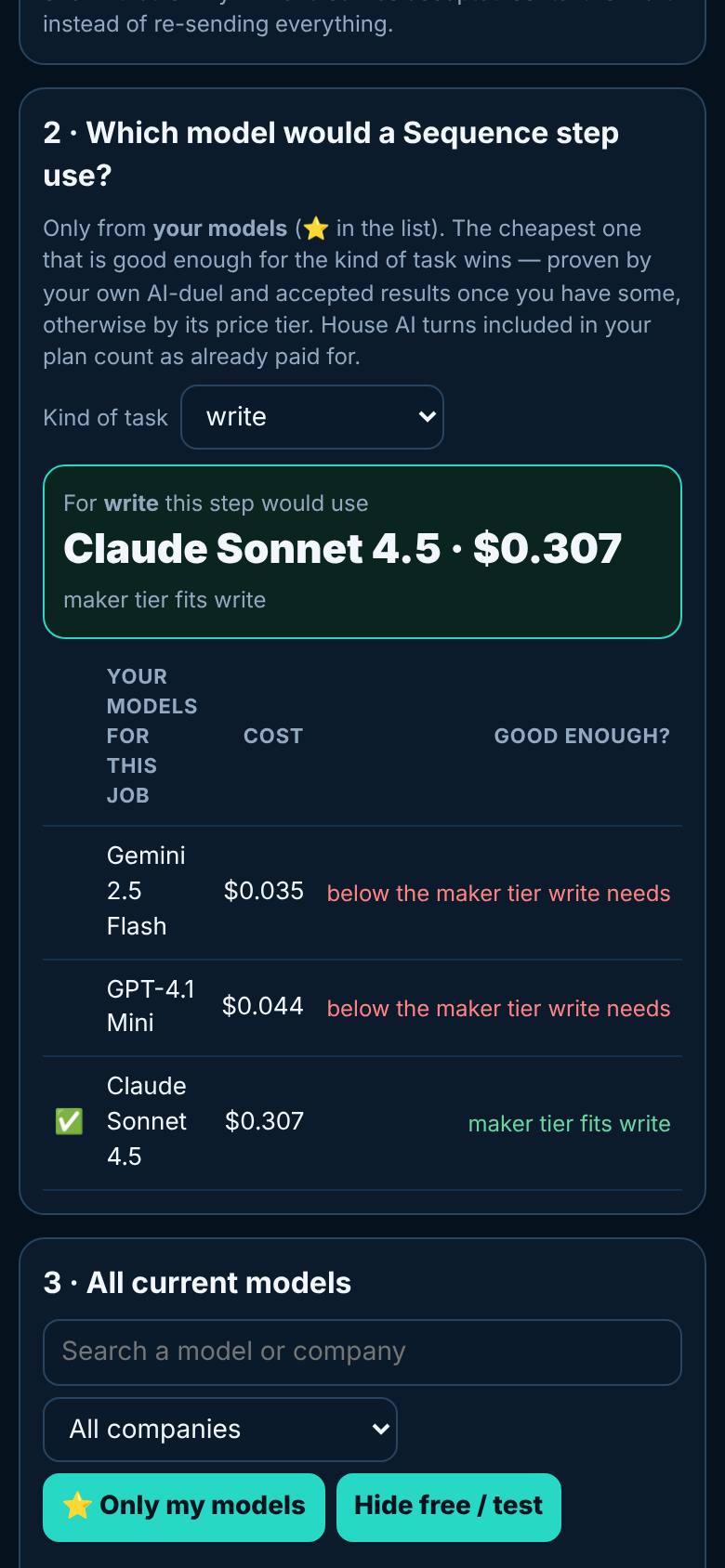
Which model would a step use?
Pick a kind of task.
The pick, its cost and why.
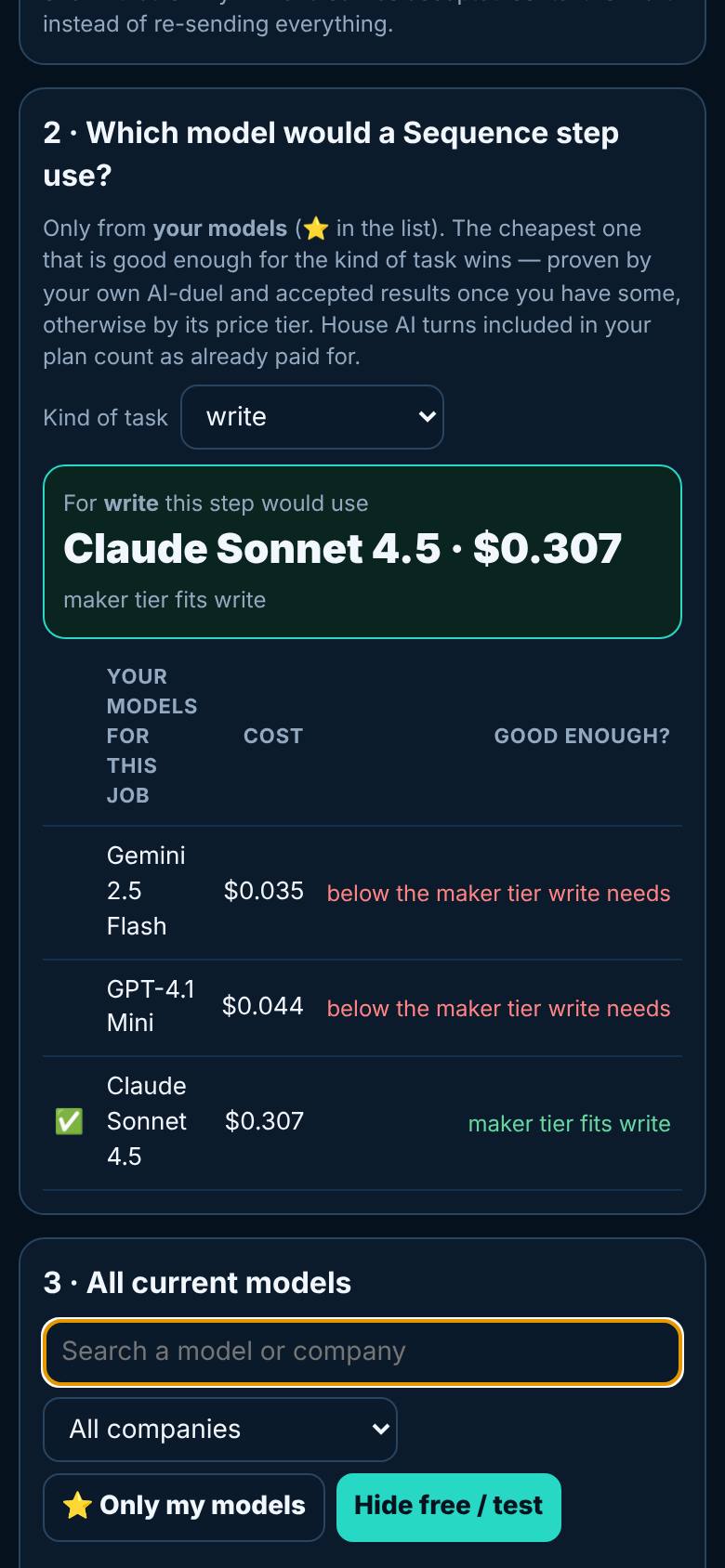
- 5
Only my models
Tap Only my models.
Just the shortlist.
What result should I expect?
Your own shortlist of models, and a clear answer to which one a step would use and why.
How do I save, share or get help?
Your starred models stay on this device and feed the Sequence runner and AI Duel.
If something goes wrong
- It says prices could not be loaded. The list comes from OpenRouter's public price list. Wait a minute and reload.
Every screenshot here was taken while doing these exact steps on the current build (9531cf7), on a phone-sized screen, on 2026-10-13.
All AiArena How-To guides Open AiArena Models