Your phone as the controller, and a controller you build yourself
The AiArena phone controller: pair your phone to a game running on a laptop or TV with a code, then use the Controller Builder to lay out your own sticks, buttons and pedals and send them to the phone.
Guide revision: 2026-10-13 · steps checked 2026-10-13 on build 9531cf7
7-step walkthrough with voiceover, recorded from the same checked steps.
Voiceover: Kokoro text-to-speech (Apache 2.0).
How do I start?
In a game, tap Phone controller, then open aiarena.ca/pad on your phone. The builder is at Build a controller.
What do I do next?
- 1
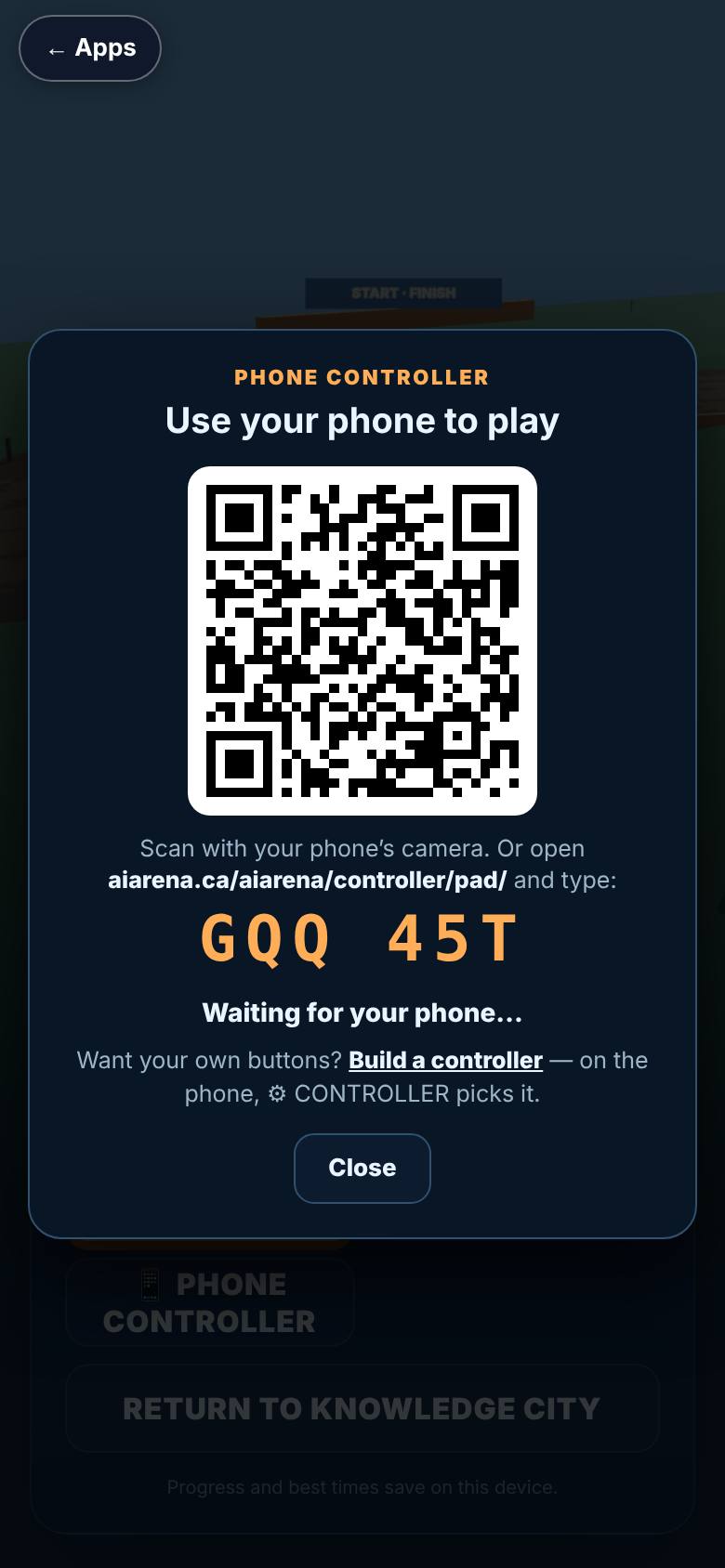
In the game: Phone controller
On a game menu, tap Phone controller.
The pairing box opens.
- 2
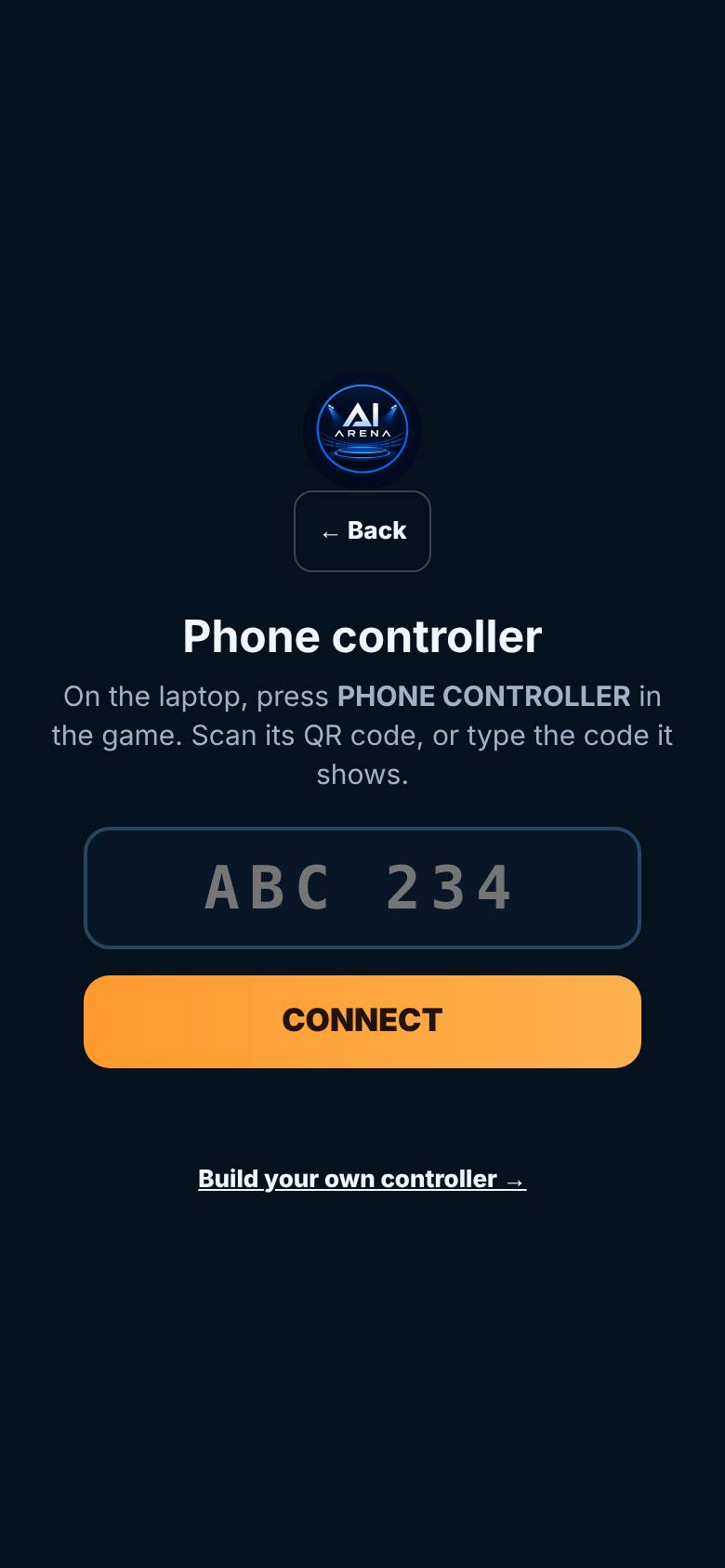
On the phone: aiarena.ca/pad
On the phone, open aiarena.ca/pad.
Type the code, or scan the QR, then Connect.
- 3
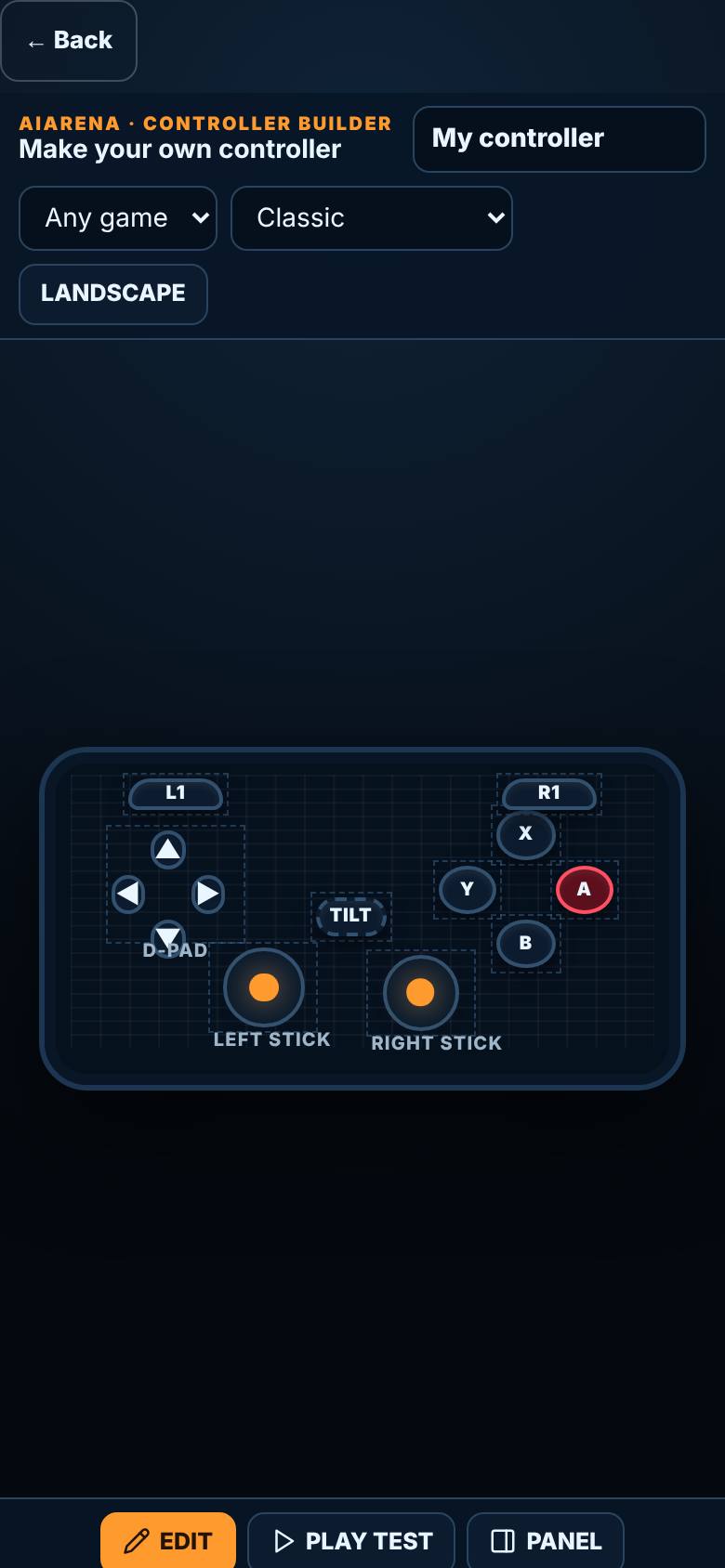
Build your own
Tap Build your own controller.
The Controller Builder: name, game, look, orientation.
- 4
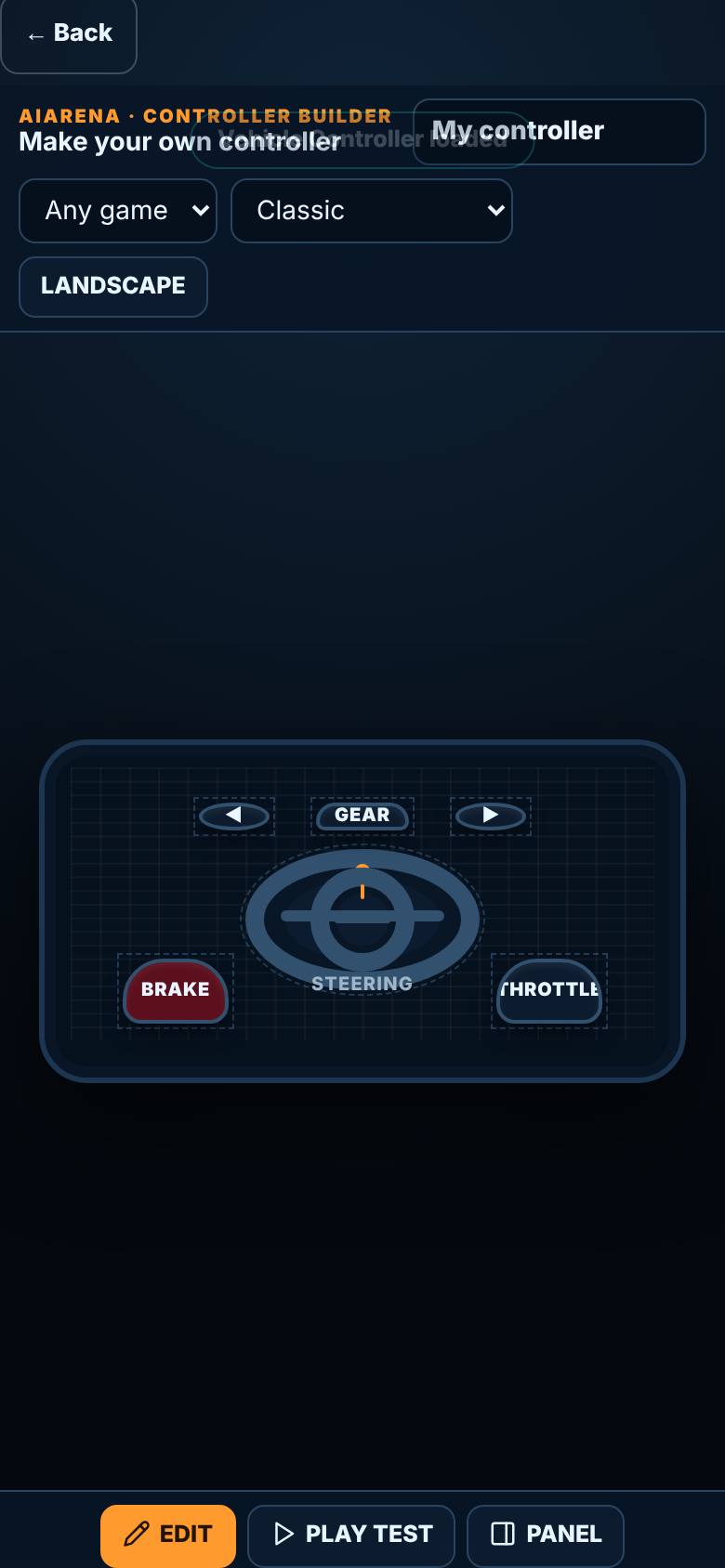
Start from a layout
In Add, tap Vehicle Controller.
A wheel, pedals and buttons on the stage.
- 5
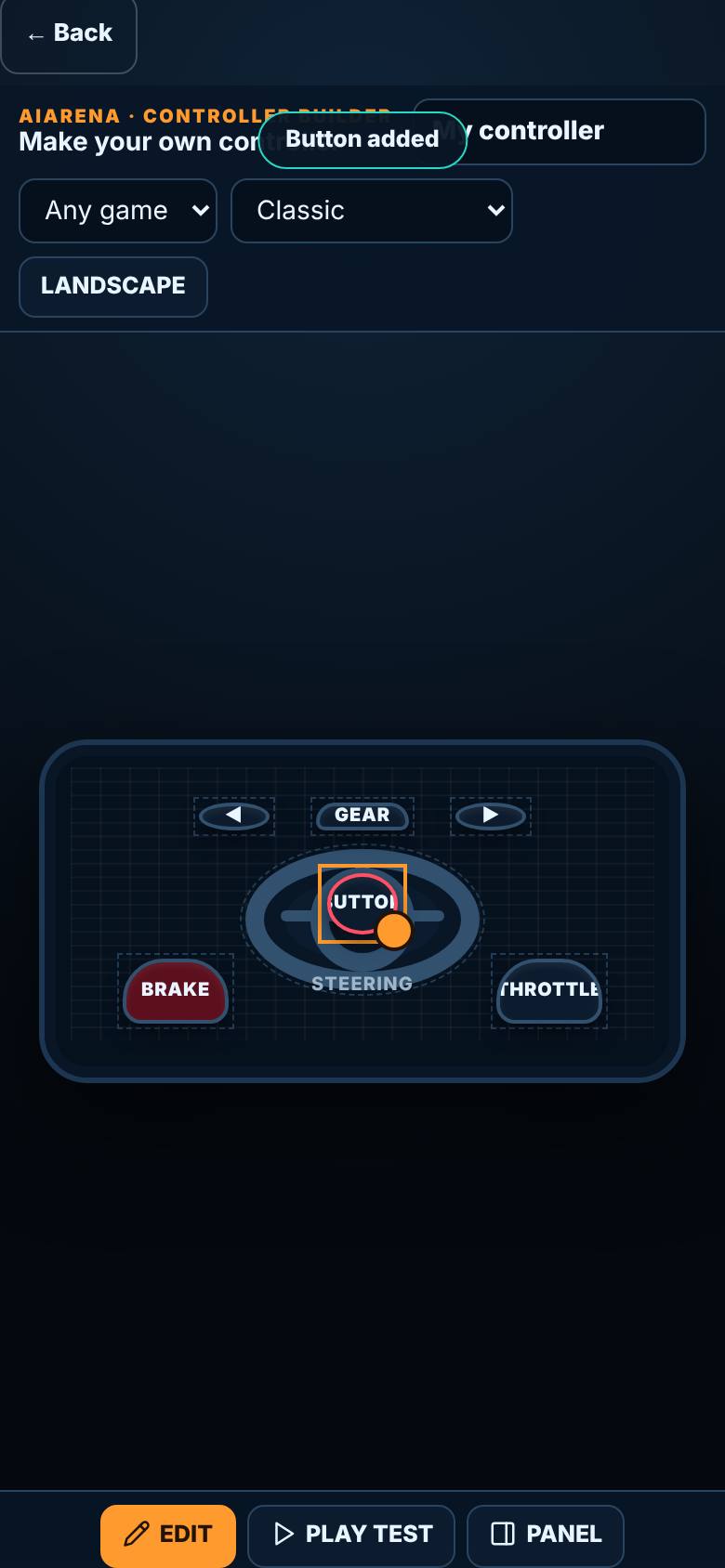
Add a control
Tap Button.
One more button on the controller.
- 6
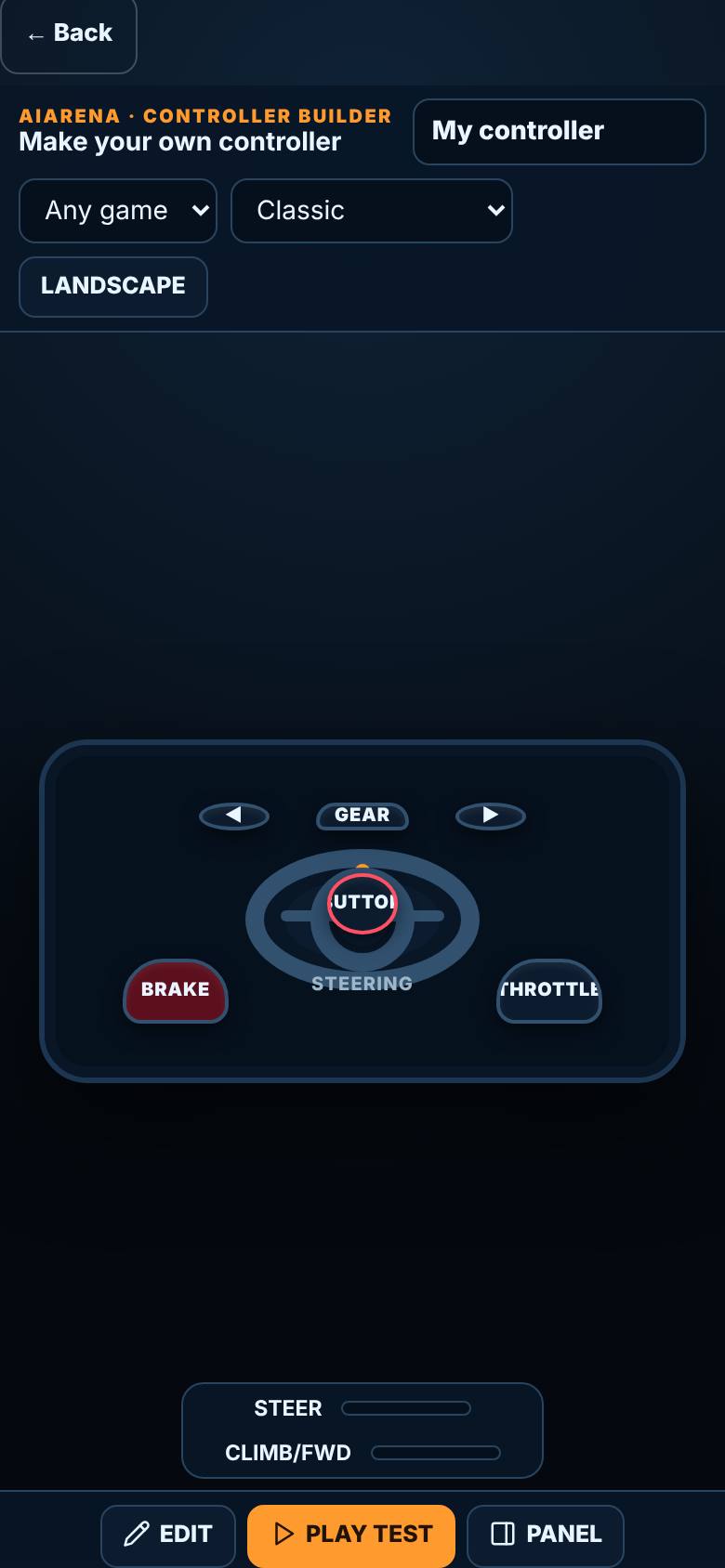
Play test
Tap Play test.
The readout shows what each press sends.
- 7
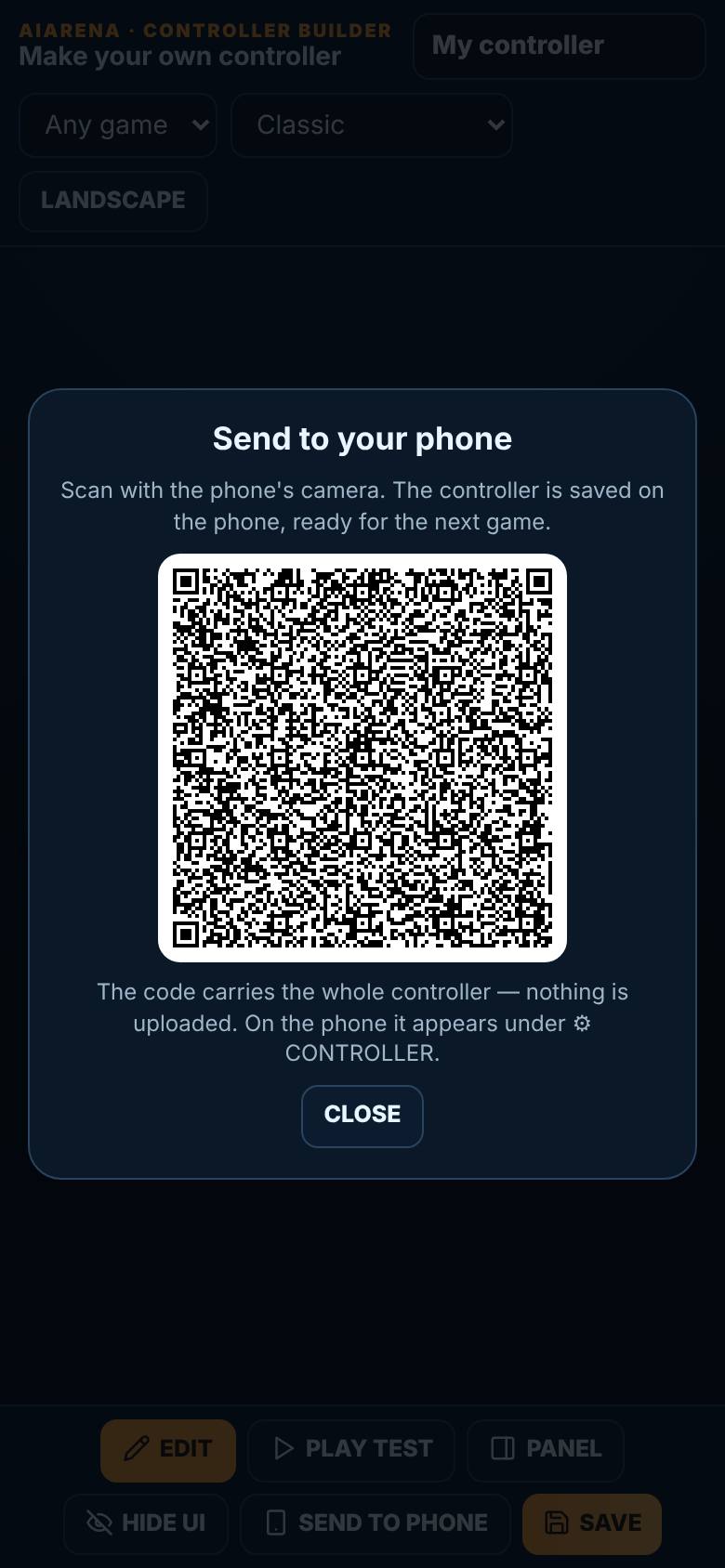
Save and send to phone
Tap Save, then Send to phone.
A QR code for the phone to scan.
What result should I expect?
Your phone drives the game, with the controller layout you chose.
How do I save, share or get help?
Controllers you build are saved on the phone, ready for the next game.
If something goes wrong
- The phone will not connect. Both devices need the internet. Type the code the game shows, exactly as shown, or scan its QR code again.
Every screenshot here was taken while doing these exact steps on the current build (9531cf7), on a phone-sized screen, on 2026-10-13.
All AiArena How-To guides Open AiArena Phone Controller